

Ingesting users via events
Transform user data via events collected from your websites and apps.
 View as Markdown
When collecting user data via events from any source, values must be mapped to the customer model to create or update records in the data warehouse before unification.
The diagram below illustrates how user information flows through the collection process and where transformation takes place within the overall data pipeline.
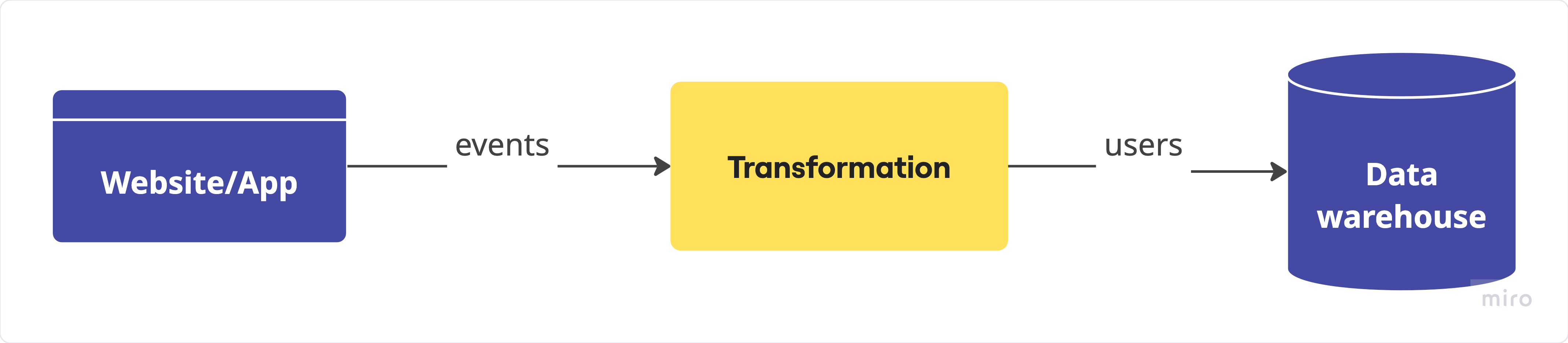
What transformation does
The transformation defines which information is relevant to collect, how it should be enriched with additional context, and how it should be mapped to a unified model so that all user data shares a unified, ready-to-use structure.
-
relevant to collect: select traits such as
email,signupDate, orcountrythat are relevant for user identification or segmentation, and ignore those not useful for your analysis or activation needs. -
enriched with additional context: build
full_namefromfirstNameandlastName, infercompanyfromcontext.ip, or calculateagefrombirthDate. -
mapped to a unified model: convert prices from EUR to USD, standardize enum values (e.g., plan:
"pro"→"PRO"), or unify date formats (e.g.,15/11/2025→2025-11-15).
In summary, transforming user data ensures consistency, accuracy, and shared understanding across teams. By defining what to collect, enriching it with context, and mapping it to the customer model schema, both technical and marketing teams can rely on the same complete, trustworthy view of every customer.
How transformation is done
You can define transformations using any of the following methods — Visual Mapping, JavaScript, and Python. Each method produces the same unified customer model schema in the data warehouse, so you can use whichever best fits your workflow — and switch methods anytime.
The screens below show how each method looks and works in the Admin console.
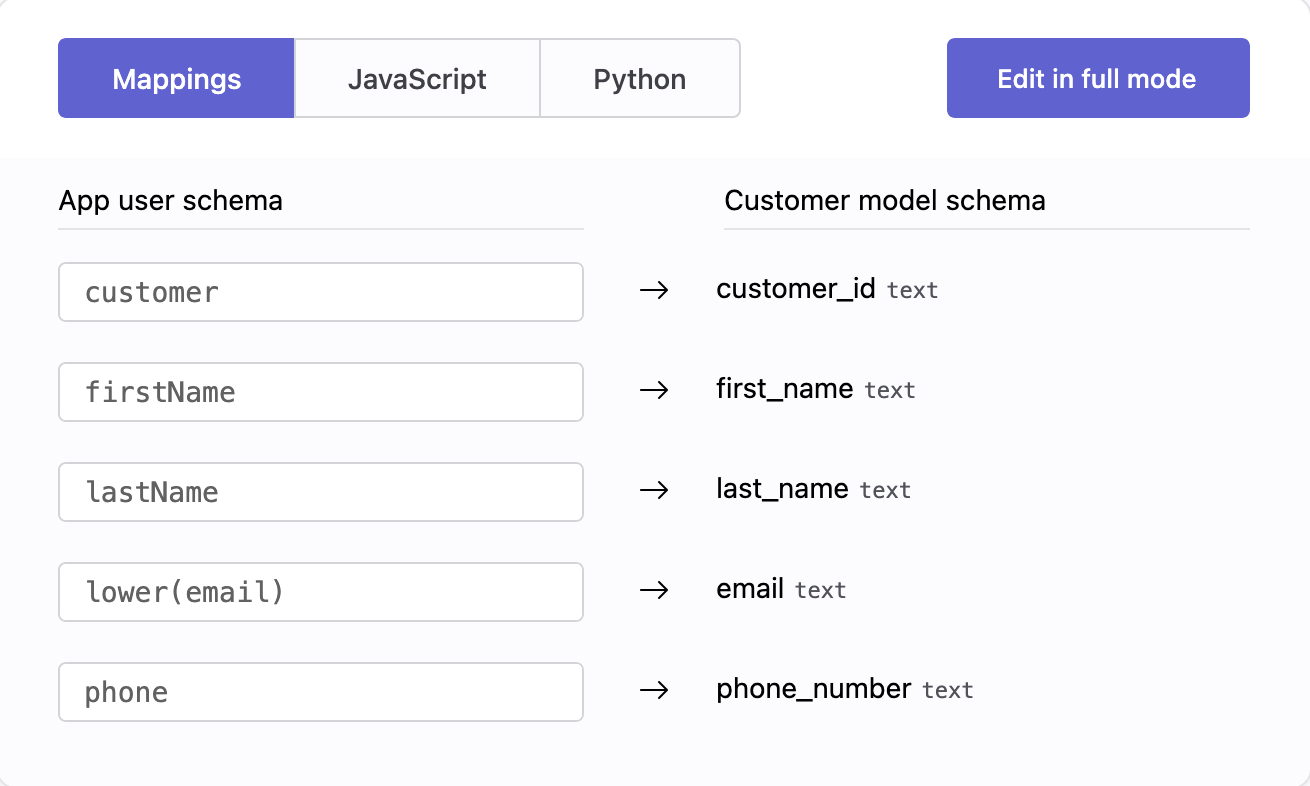
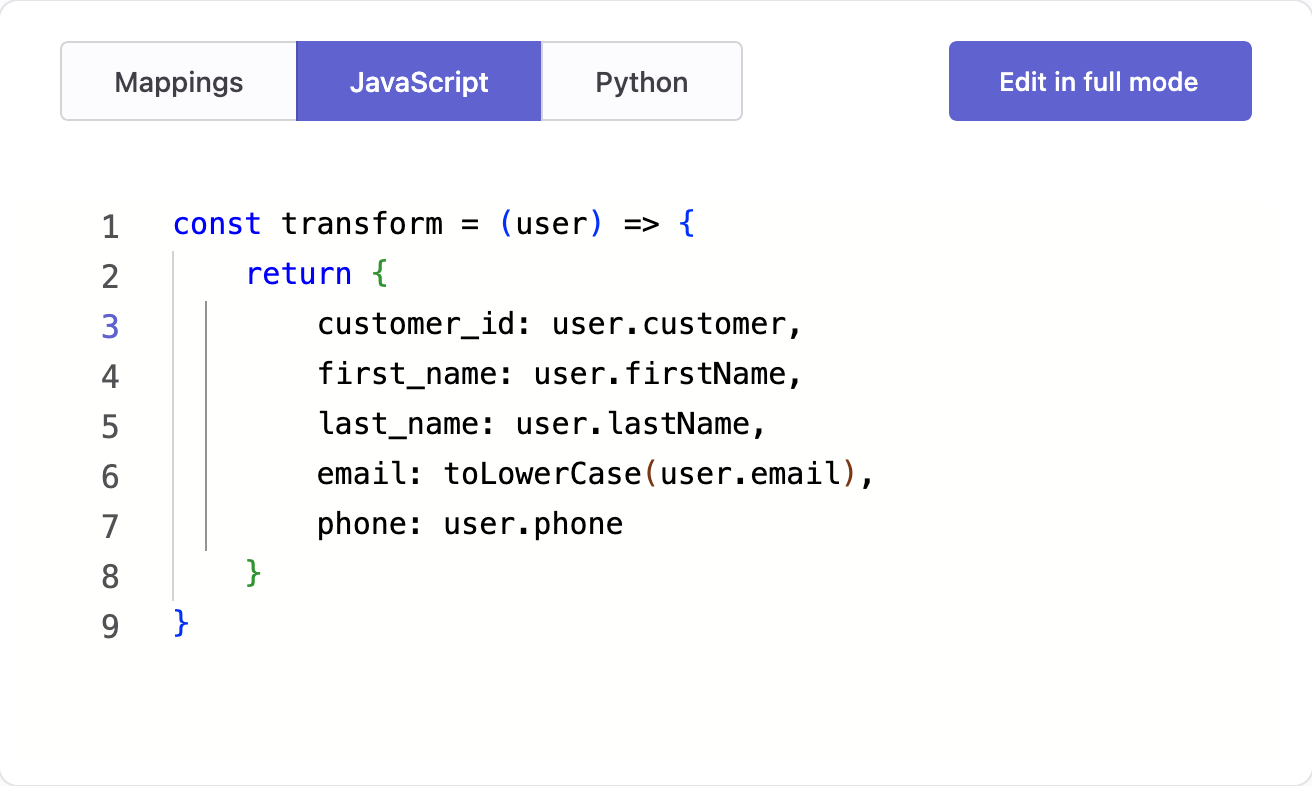
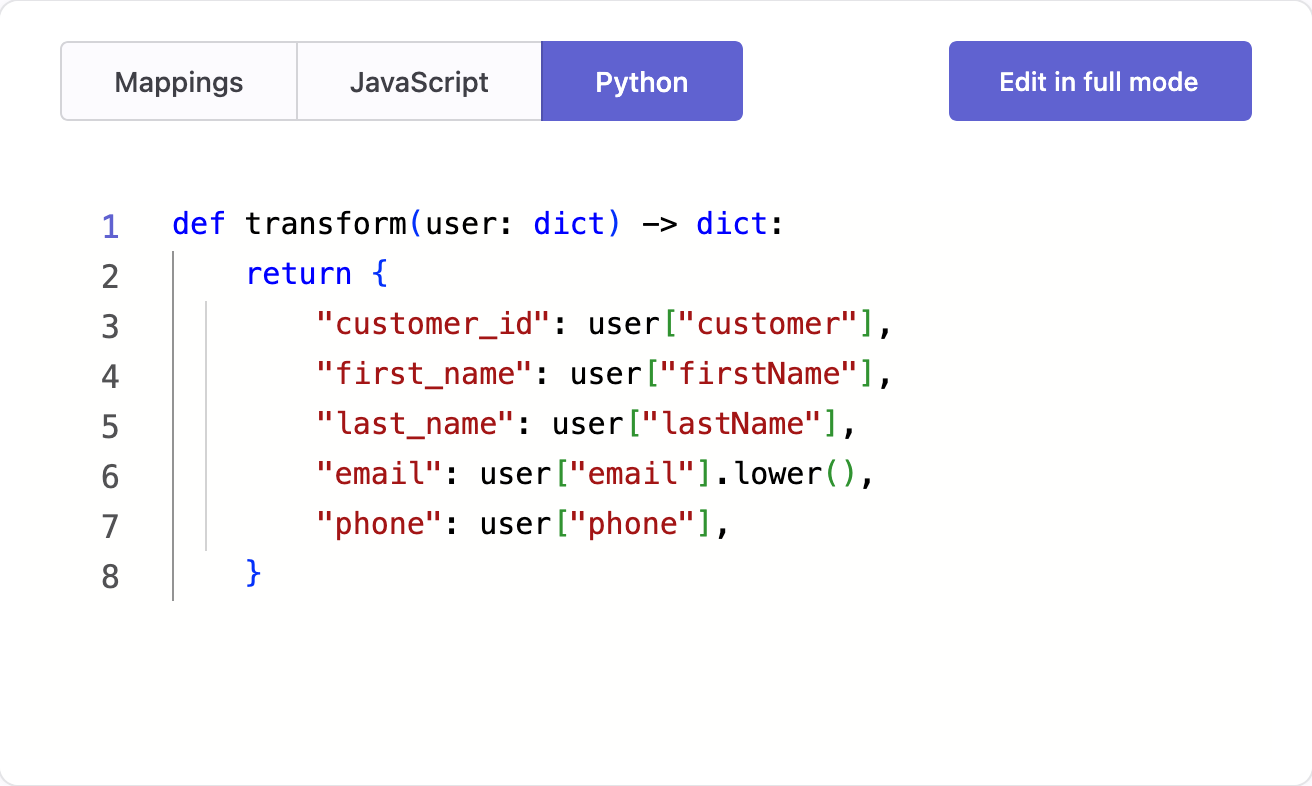
User identifiers and traits
When processing events to ingest users, the transformation handles the user data contained in those events — such as the Anonymous ID, the User ID, and traits (user details like name, email, or address) — sent together with the event.
If a User ID is included, the user is identified. If it is not included, the user is anonymous, and any traits apply only to that anonymous profile. Traits are usually included in events when a user registers, logs in, or updates their profile, but they can be also included when the user's pipelines change them — for example, selecting a new plan or updating a shipping address.
Websites and applications include traits with the
identifycall, and sometimes with thepage,screen, ortrackcalls.
Key points
Keep in mind the following key points when creating a transformation for ingesting users via events.
-
Define a shared schema for traits
Traits are stored in thetraitsproperty of each event as a JSON object. Since JSON structures can differ between events and sources, define a shared schema early to keep data consistent across your websites and apps. This allows all transformations to rely on predictable field names and data types. -
Assign relevant properties
Assign values only to the customer model properties you need, based on the traits available in the received event. Leave other properties unassigned if there is no corresponding data in the event or if they are not relevant. -
Properties with no data
If a property is unassigned or set to null while processing a record, it means that no data is available for that property. In the data warehouse, the corresponding column for the user record will containNULL, regardless of any previous value. -
Validation in Visual Mapping
In Visual Mapping, each expression must have a type compatible with the target property. If the expression is of type JSON — for example, when it contains a single trait such astraits.email— this validation occurs when events are processed. See Visual Mapping transformations for details. -
Validation in JavaScript and Python
In JavaScript and Python transformations, your function should use only the selected event properties, such astraits, return only the selected customer model properties, and ensure their values match the destination types. Unlike Visual Mapping, types are not converted automatically, so handle any conversions explicitly when needed. See JavaScript or Python transformations for details. -
Testing transformation
You can test your transformation (Edit in full mode → Samples) with real-time events before moving it to production. The test does not write any data to the data warehouse. -
Handling errors
If an error occurs while transforming a user's data in production, the event is skipped and the error is logged in metrics. The warehouse data remains unchanged.