

Activating user data on databases
Transform user data as you activate it on databases.
 View as Markdown
When activating user data on databases, values read from your data warehouse must be converted to the column types of the table.
The diagram below illustrates how user information flows through the collection process and where transformation takes place within the overall data pipeline.
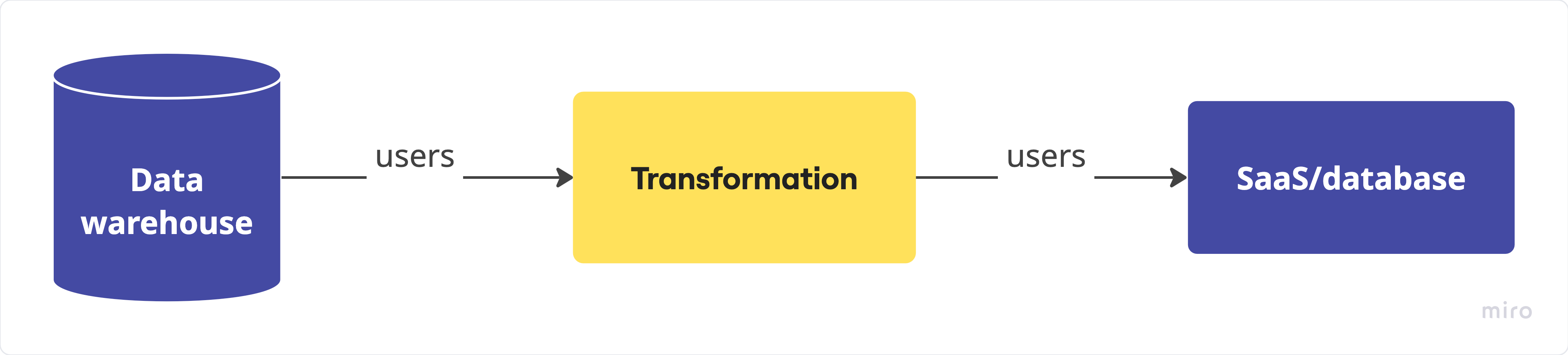
What transformation does
The transformation defines which information is relevant for activation and how it should be mapped to table schema to ensure all user data follows a unified, ready-to-use structure.
-
relevant for activation: select properties required by the destination system, such as
email,subscription_status, orlast_purchase_date, and exclude data not used by your marketing or analytics workflows. -
mapped to table schema: align property names and data types to match the target table schema, convert enums to accepted values (e.g.,
"active"→"ACTIVE"), or standardize timestamps to ISO 8601.
In summary, transforming user data for activation ensures that each downstream system receives clean, consistent, and pipelineable information. By defining what to activate, enriching it with relevant context, and mapping it to the proper schema, teams can automate reliable data delivery and maintain a single, synchronized view of every customer.
How transformation is done
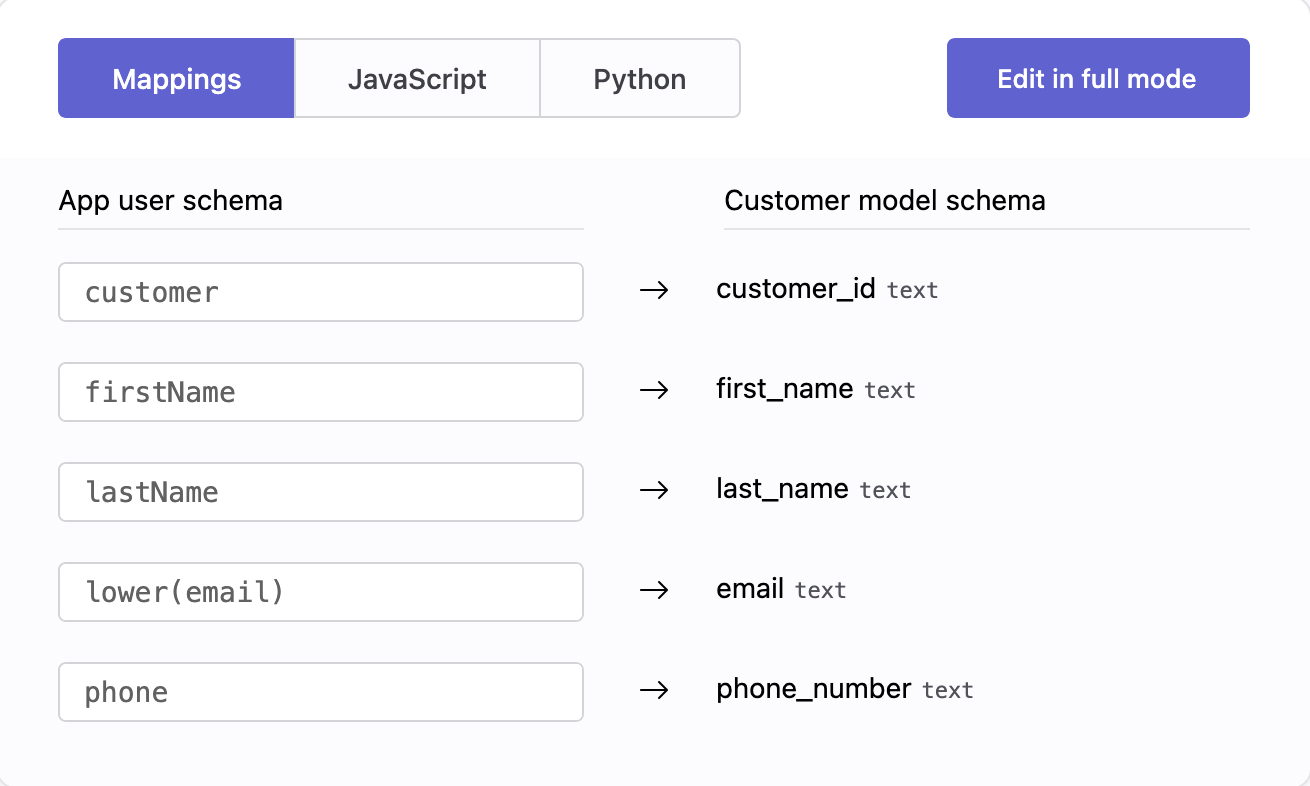
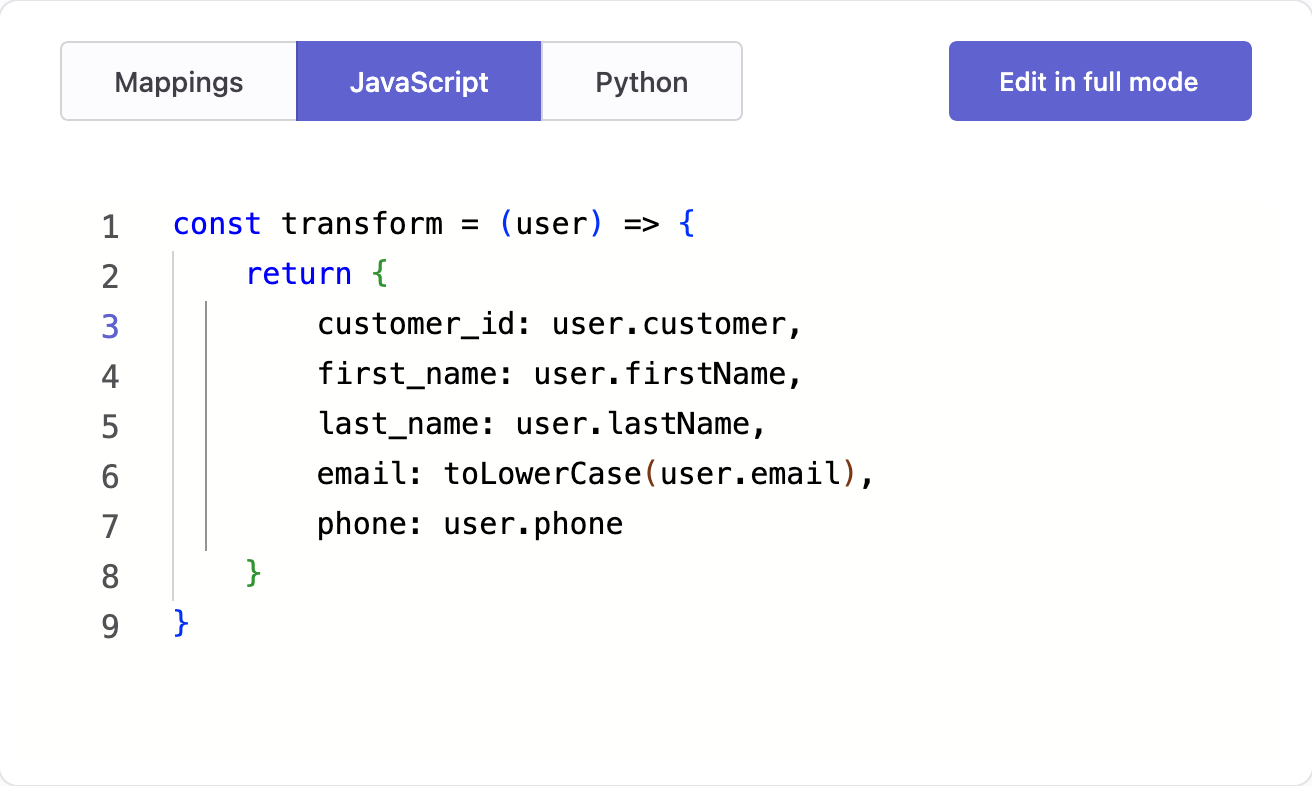
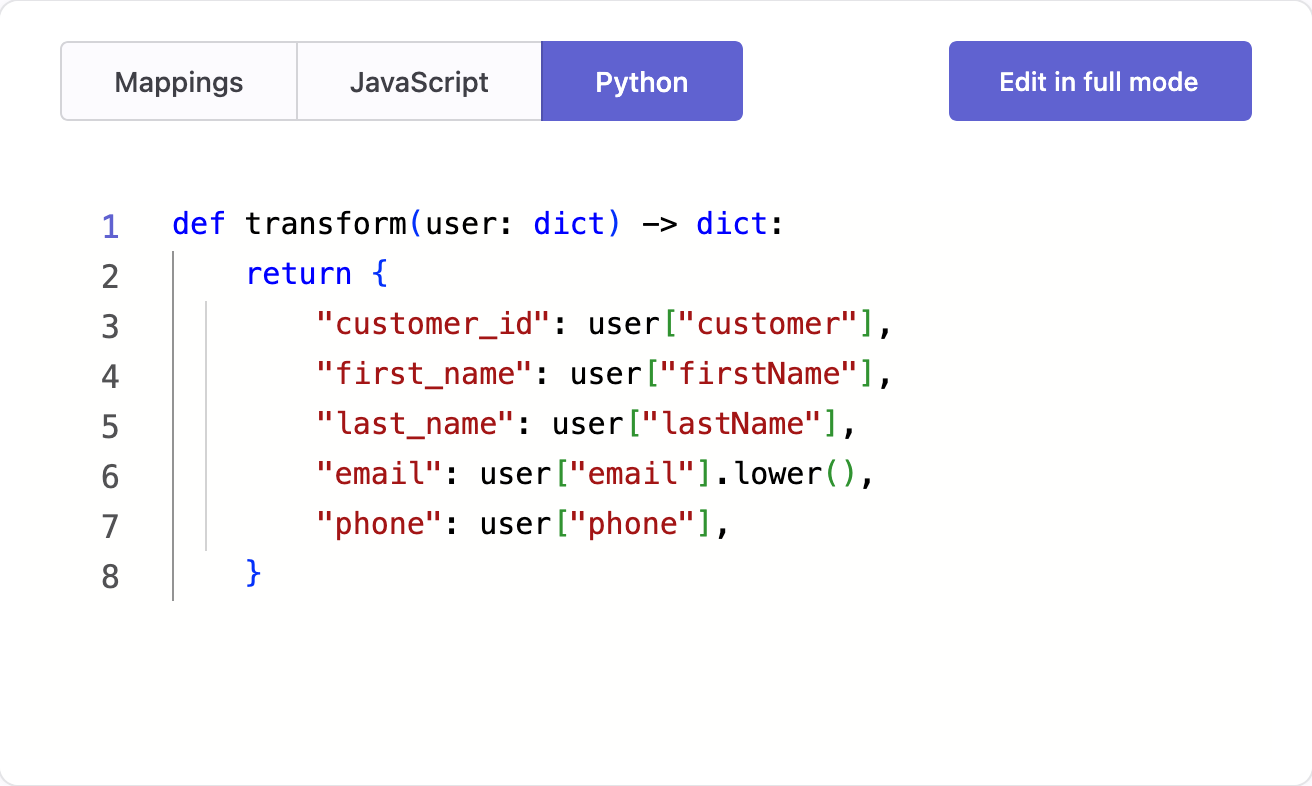
You can define transformations using any of the following methods — Visual Mapping, JavaScript, and Python. Each method prepares user data in your warehouse so it matches the structure and format expected by the database table. Regardless of the method, the result is a consistent output that downstream systems can consume directly.
The screens below show how each method looks and works in the Admin console.
Key points
Keep in mind the following key points when creating a transformation for activate users on databases.
-
Activate relevant properties
Use only the properties that you need on the external database and assign only to the table columns that you want to keep synchronized with the properties of your customer model. Krenalis will update only these columns, leaving all others unchanged. Make sure to assign at least one column. -
Properties with no data
If an assigned column is set to null while processing a record, it means that no data is available for that column. In the external table, the corresponding column for the user record will containNULL, regardless of any previous value. -
Validation in Visual Mapping
In Visual Mapping, each expression must have a type compatible with the target column. If the types do not match, an error message appears automatically. For some data types, such as JSON, a static check may not be enough. An additional validation is performed when processing each user record. See Visual Mapping transformations for details. -
Validation in JavaScript and Python
In JavaScript and Python transformations, your function should use only the selected customer model properties, return only the selected destination columns, and ensure their values match the destination types. Unlike Visual Mapping, types are not converted automatically, so handle any conversions explicitly when needed. See JavaScript or Python transformations for details. -
Testing transformation
You can test your transformation (Edit in full mode → Samples) using real user in your data warehouse before moving it to production. The test does not write any data to the destination table. -
Handling errors
If an error occurs while transforming a user's data in production, the record is skipped and the error is logged in metrics. The destination table remains unchanged.