

Create your first workspace
Connect your first data warehouse to start collecting and activating customer data.
 View as Markdown
When you access the Admin console for the first time, Krenalis will prompt you to create your first workspace. A workspace is the core environment where your customer data is stored, organized, and made pipelineable. It defines where your data lives, how it is structured, and how it flows between sources, your Customer Model, and destinations. You can create as many workspaces as you need, for example, a development and a production workspace.
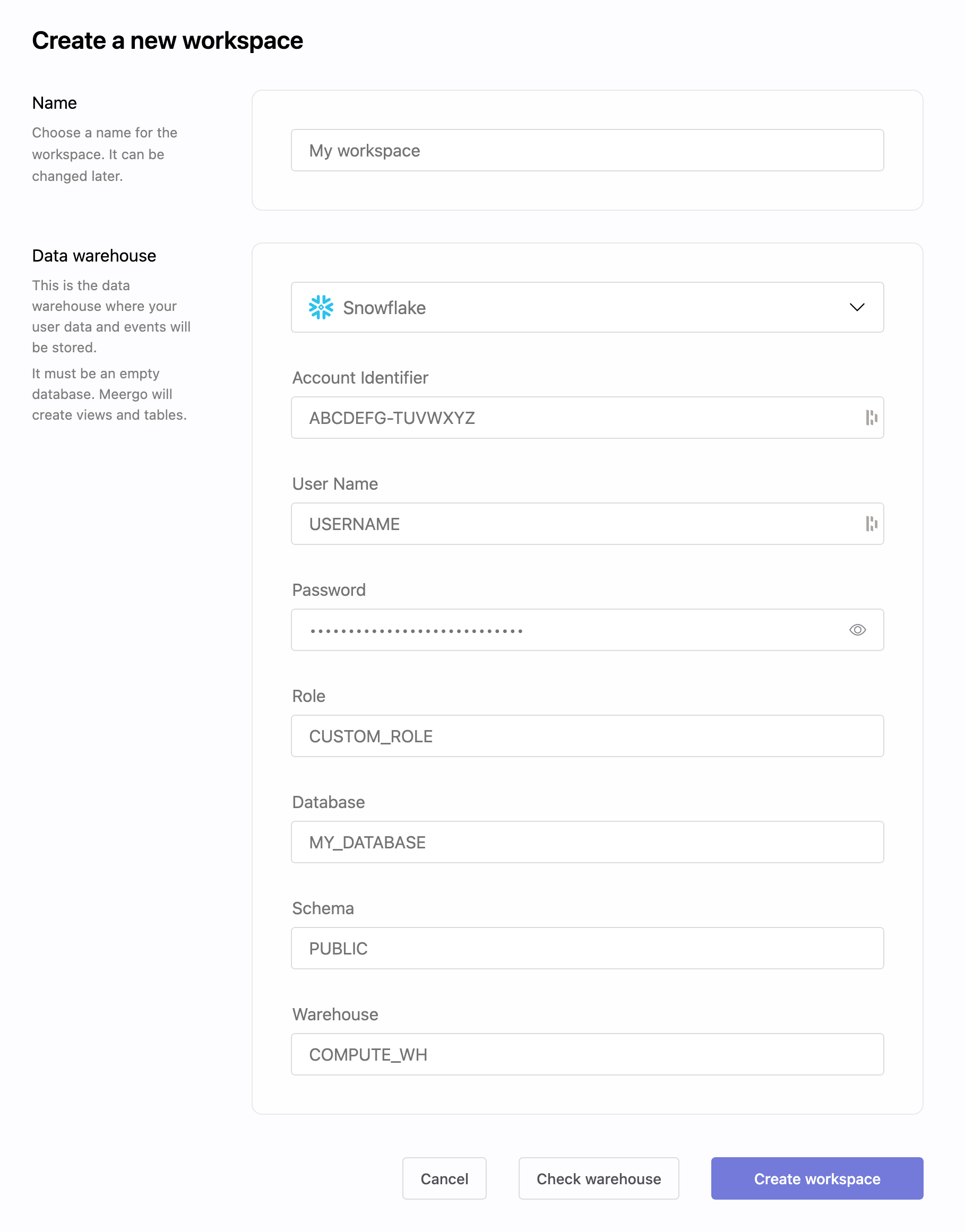
Each workspace uses its own dedicated database as its data warehouse. You will be asked to choose a workspace name and provide the connection details of an empty database that Krenalis will use as your data warehouse. Krenalis will initialize this database and use it to store user profiles, events, unified tables, and all other structures required for your CDP operations.
Workspace structure
A workspace is built around three key components:
-
Connection to your Data Warehouse
The place where Krenalis stores and processes your customer data, directly inside your own infrastructure. The database must be empty, because Krenalis will create all required tables and schemas. -
Connections to Sources and Destinations
The systems from which data is collected (sources) and the systems where activations are delivered (destinations). -
Customer Model
The schema that defines how customer information is structured, unified, and made pipelineable.
How these components work together
            ┌─────────────────────────────────┐
            │           Workspace             │
            └─────────────────────────────────┘
                       /            \
                      /              \
 ┌──────────────────────────┐   ┌──────────────────────────┐
 │  Warehouse Connection    │   │  Sources & Destinations  │
 └──────────────────────────┘   └──────────────────────────┘
                \                      /
                 \                    /
              ┌──────────────────────────┐
              │       Customer Model     │
              └──────────────────────────┘
-
Warehouse Connection → where data is stored and processed
-
Sources & Destinations → where data comes from and where it is delivered
-
Customer Model → the structure that organizes and unifies all data
Connecting your warehouse
Krenalis currently supports two warehouse technologies for creating a workspace:
To connect your warehouse, you will need to provide the following details:
PostgreSQL
The following fields are required to connect a PostgreSQL data warehouse:
| Field | Description |
|---|---|
Host |
Hostname or IP address of the database. |
Port |
Port used to connect (default is 5432). |
Username |
Username for authentication. |
Password |
Password associated with the username. |
Database name |
Name of the empty database to be used as the data warehouse. |
Schema |
Name of the schema within the database where tables will be created. |
Snowflake
The following fields are required to connect a Snowflake data warehouse:
| Field | Description |
|---|---|
Account Identifier |
Account ID of the Snowflake warehouse in the form <orgname>-<account>. |
User Name |
Username used to authenticate with Snowflake. |
Password |
Password associated with the provided user name. |
Role |
Role that will be used for accessing the data in Snowflake. |
Database |
Name of the database to be used as the data warehouse. |
Schema |
Name of the schema within the database where tables will be created. |
Warehouse |
Name of the virtual warehouse to execute queries. |